Image-to-Video: Start Frame and End Frame Conditioning
Pin the first frame, pin the last frame, or pin both. How Kling v3's image conditioning changes what motion you get and when each mode earns its keep.
You already know text-to-video. You type a prompt and Kling guesses the opening composition. That is usually fine, but sometimes you need the clip to start from a specific still, land on a specific still, or bridge two fixed stills with motion. That is where image conditioning takes over.
Kling v3 exposes two conditioning inputs on the image-to-video endpoint: image_url for the start frame and tail_image_url for the end frame. You can send one or both.
How the two inputs behave
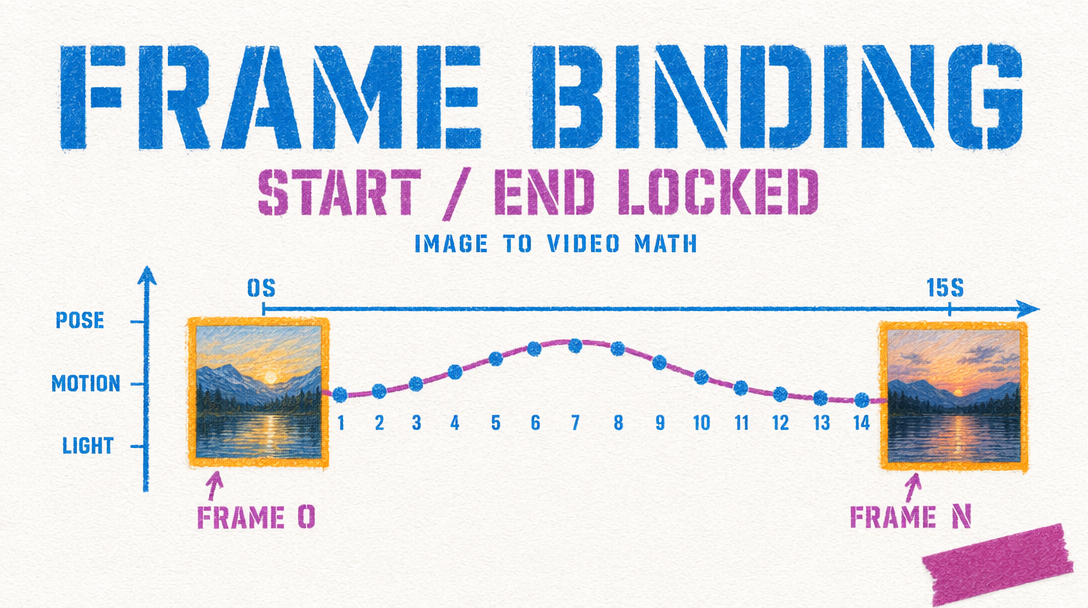
When you send only image_url, Kling treats the still as frame zero. The model plans motion outward from that composition. Your prompt describes what should happen next, and the clip drifts toward that action. The end is loose. The model resolves camera position, lighting, and subject pose however the motion plan lands.
When you send both image_url and tail_image_url, Kling is constrained on both ends. It interpolates a path that begins at your first still and lands on your last. The prompt sits between the two images, guiding how the middle resolves. Motion is tighter because the arrival is fixed.
Sending only tail_image_url without a start frame is not supported on v3. If you need to reverse-engineer a shot into a final composition, send a generated or hand-picked start frame alongside it.
Start frame only: drift and discovery
Reach for start-frame-only when the destination does not matter. Ambient scenes, product rotations, environmental pans, short character moments where the exit pose is a detail. Motion reads naturally because the model is not fighting toward a second anchor.
1import { fal } from "@fal-ai/client";23const result = await fal.subscribe("fal-ai/kling-video/v3/standard/image-to-video", {4 input: {5 prompt: "Slow dolly-in on the ceramic mug. Steam curls upward. Window light shifts from pale gray to warm amber.",6 image_url: "https://storage.googleapis.com/falserverless/example_inputs/mug-still.jpg",7 duration: 5,8 cfg_scale: 0.5,9 shot_type: "intelligent",10 negative_prompt: "blur, distort, and low quality"11 },12 logs: true,13});1415console.log(result.data.video.url);
Start plus end: choreographed transitions
Dual-frame conditioning is for shots where the first and last beat both matter. Product reveals that must land on a hero pose. Character transitions from confused to resolved. Architecture flythroughs that exit on a composed establishing shot.
The tradeoff is that the model has less room to improvise. If your two stills are too far apart (different subjects, different rooms, different aspect compositions), Kling will either warp the middle or ignore one of the anchors. Keep both stills in the same scene, the same lighting family, and the same focal length.
Good dual-frame candidates: a 90 degree camera arc on one subject, a zoom from wide to close on the same set, a weather or lighting shift on a static scene. Bad candidates: two unrelated images, two different characters, a jump cut you hope the model will invent.
Shot type, duration, and CFG
shot_type accepts "intelligent" or "customize". On image-to-video, intelligent lets the model pick camera behavior that fits the conditioning frames. Switch to customize when your prompt names a specific camera move.
Shorter clips respect conditioning better. At 5 seconds, a start-plus-end setup lands cleanly. At 15 seconds, dual-frame is risky unless your two stills are close in composition. For longer beats, chain two 5 second clips using the last frame of clip one as the start of clip two.
cfg_scale ranges 0 to 1 with a default of 0.5. If the end frame gets ignored on dual-frame shots, push to 0.6 or 0.7. If motion looks stiff, drop to 0.4.
Which to reach for
Use start-frame only when the clip is exploratory or the prompt carries the shot. Use start-plus-end when editing into a sequence where the next shot's first frame is already decided.