Kling 3.0 Pro vs Standard: The Pricing Math
Pro costs about 33 percent more per second than Standard. Here is the clip length, resolution, and add-on math that tells you when Pro earns the spread.
Kling 3.0 ships in two tiers on fal. Standard delivers 720p, Pro delivers 1080p, and both top out at 15 seconds. On paper the choice is simple: pay more for sharper output. In practice the math turns on add-ons, clip length, and whether you are drafting or delivering.
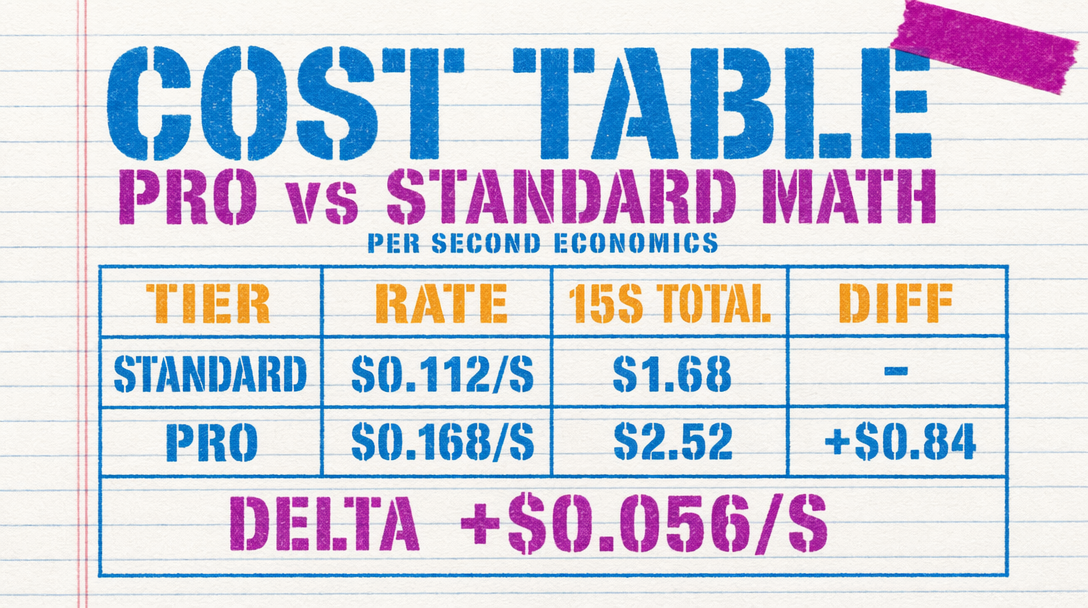
Base rates
- Standard image-to-video: $0.084/s silent, $0.126/s with audio, $0.154/s with voice control.
- Pro text-to-video: $0.112/s silent, $0.168/s with audio, $0.196/s with voice control.
That is roughly a 33 percent premium for Pro on the silent base rate. Audio adds 50 percent to either tier. Voice control stacks another ~17 percent on top of audio.
What a 5 second clip actually costs
A 5 second silent Standard clip runs $0.42. The same length on Pro is $0.56. That is 14 cents of delta. Across a 50 clip batch you pay $7 more to be on Pro.
Turn audio on and the gap widens. A 5 second Standard with audio is $0.63. Pro with audio is $0.84. Add voice control and you are at $0.77 Standard versus $0.98 Pro. Still under a dollar per shot, but across a 100 clip production you are talking $21 of delta.
Longer clips magnify the spread
At 10 seconds silent, Standard is $0.84 and Pro is $1.12. At 15 seconds silent, Standard is $1.26 and Pro is $1.68. The absolute gap grows linearly with duration, but your quality decision should not: if Pro's 1080p is worth it for a 5 second hero shot, it is worth it for 15.
Where the math changes is ambient b-roll. A 100 clip batch of 10 second silent shots costs $84 on Standard and $112 on Pro. If those clips are background texture under a voiceover, the extra $28 may not show up on screen.
Audio and voice control
Audio is not free. You want it when the clip has diegetic sound that matters: footsteps in a corridor, a door slam, wind over water. If the clip will be scored with library music or voiceover anyway, skip the add-on and save 50 percent.
Voice control is for character dialogue baked into the generation. It is a narrow use case. If you record VO in a DAW, leave voice control off.
The draft-to-delivery workflow
The cheapest way to use Kling is a two-phase flow.
Phase 1 (drafting): run all prompt iteration on Standard, silent, at 5 seconds. You burn $0.42 per try. Nail composition, motion, camera move, and subject pose here. Do not turn audio on until Phase 1 is locked.
Phase 2 (delivery): once the prompt and seed are locked, regenerate chosen shots on Pro at full duration with audio if the shot needs it. You pay the premium only on keepers.
For a 10 shot sequence: $42 for 100 drafts on Standard, plus $11.20 for 10 final Pro renders at 10 seconds silent. Total $53.20. Running Pro start to finish on the same experiment is around $123. You saved 57 percent.
Code: same prompt, swap the endpoint
1import { fal } from "@fal-ai/client";23const tier = process.env.FINAL ? "pro" : "standard";4const endpoint = tier === "pro"5 ? "fal-ai/kling-video/v3/pro/text-to-video"6 : "fal-ai/kling-video/v3/standard/image-to-video";78const result = await fal.subscribe(endpoint, {9 input: {10 prompt: "Handheld tracking shot following a cyclist through morning market stalls. Warm low-angle sunlight, shallow depth of field.",11 duration: tier === "pro" ? 10 : 5,12 cfg_scale: 0.5,13 shot_type: "intelligent",14 negative_prompt: "blur, distort, and low quality"15 },16 logs: true,17});1819console.log(result.data.video.url);
When Pro earns the spread outright
Skip the two-phase flow and go straight to Pro when: (1) the clip is a hero shot that will play full-bleed for three or more seconds, (2) the deliverable is 1080p or higher, (3) the client contract specifies a resolution floor. Stay on Standard when output will be scaled, cropped, or composited under graphics, or when you are still in prompt exploration.